

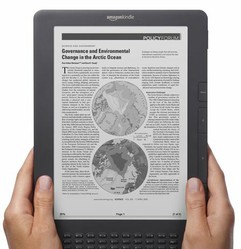
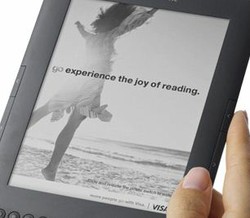
So you are now the proud owner of an Amazon Kindle or another eBook Reader and you are looking forward to settling down to read! There's something missing isn't there? Yes you need something to actually read!
So time to go eBook Shopping and there are lots of different eBooks you can buy online. But did you know that download Free eBooks for Kindle directly from Amazon?
However, you may want to get some of the latest books to relax with and enjoy. Again Amazon provide access to a massive range of eBooks Bestsellers which you can search through. Do take a look at the Amazon Kindle Store for more information and your eBooks.
When you are ready to go eBook shopping for your new Kindle or other eBook Reader then you will be pleased to hear that the Amazon Store isn't the only place! Because the Kindle supports a wide range of file formats you have a range of places to get your eBooks from including many that are free of charge!
 Once it is all set up then your future purchases will be able to be made a lot more easily.






 How To Start A Tutoring Businesson 09/02/2017
 Cat Scrapbook Ideason 01/11/2017
 Country Themed Scrapbookson 01/10/2017
 How To Research and Scrapbook Your Family Tree and Historyon 08/22/2015
Do You Buy Your eBooks At The Kindle Store or Elsewhere?
I don't have a reader yet, but this is a very useful article for those looking for good deals.
I have enjoyed many of the free and 99 cent books. I also use ebooks from Booklending, where I can lend or borrow books. I take full advantage of the free samples too. I never buy a book straight out - always read the sample first. I like that option.
I have yet to buy an eBook let alone a reader. I like the idea, but between a full time job and trying to write online, I don't even have time to pick up a book these days, although I do love reading. Excellent page though. maybe one day I will find time to read again.
I buy them mostly from Amazon.co.uk - I live in the UK so can't buy ebooks from Amazon.com although I can buy regular books there.
Nowhere yet as haven't got one,but, would love to get one, hopefully, if and when finances improve. Loved reading this, amazing what happens today. If you can get one free, then why buy a book at all?