Enhance Your Photos: For Beginners
by Sheri_Oz
Free downloadable software and easy-to-learn tools can transform your so-so pics to WOW! pics. In simple steps, I will show you how to gain the upper hand on paint.net.
Basic Techniques for Editing Photos
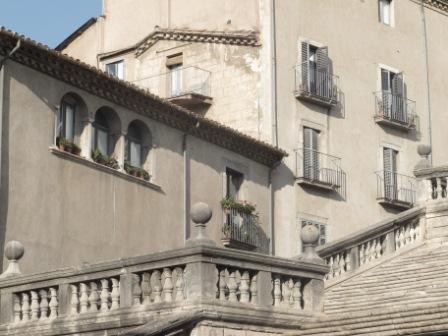
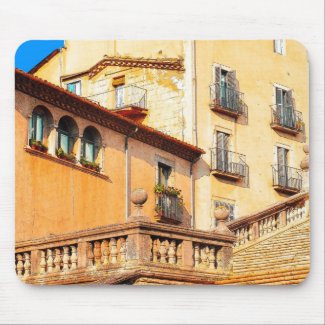
Using one photograph that looked much more impressive in real life than it did on the computer when I got home from vacation, I will show you some of the techniques you can use. You may not like what I have done with this photo in this or other articles, but when you know how I did it, you can enhance your photographs with ease and according to your own personal tastes.
Come along with me and let's have fun!
First Thing to do is Add Colour
We sometimes find, to our great disappointment, that the photo on the computer screen is a lot blander than what inspired us to snap the pic in the first place and what we saw on the digital screen after taking the photo.
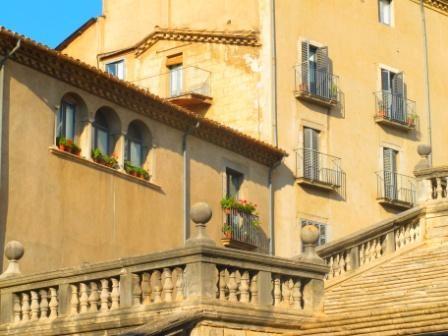
The first thing we can do is add colour using the colour saturation button. On paint.net, we find this under the "adjustments" tab.
This may be satisfactory for some photos and for some people. But if you don't think this is "dramatic" or "special" enough, there are other tricks you can do.
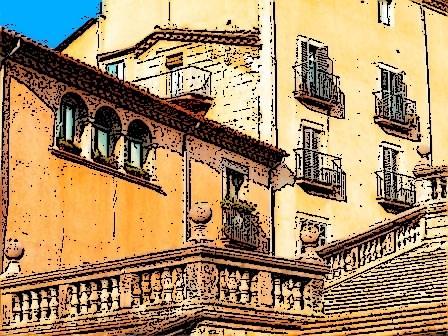
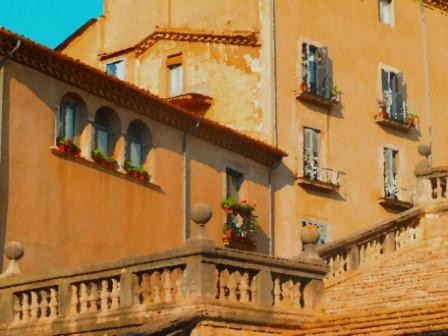
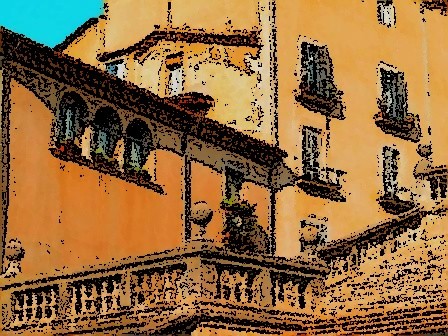
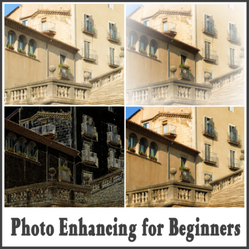
The button for these artistic renditions are under the tap called "Effects". Click on "Effects" and you will see a list of possibilities. The first, "Artistic" has three possibilities: Ink, Oil and Pencil. You can adjust the degree of intensity of the modification. In the two examples above, we have relatively mild adaptations.
Let's see what happens when we intensify the treatment:
To achieve the photo on the left above, we "re-inked" the "oil painting" treatment.
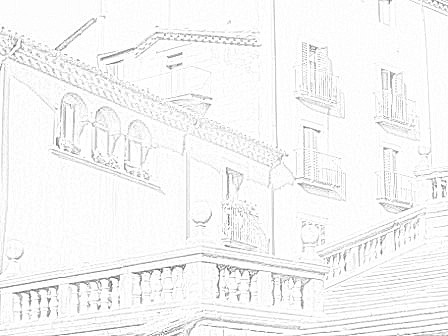
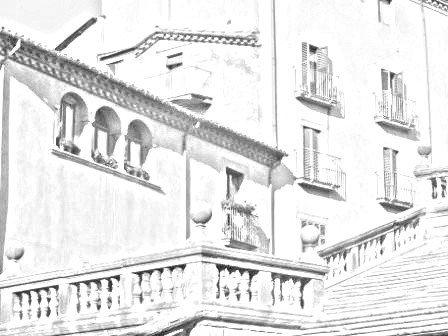
The photo on the right above is a result of clicking on "pencil" using the default settings for intensity and pencil thickness. See what happens when we play with these settings: as in the photo on the left below.
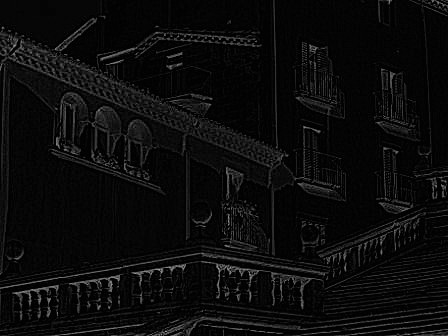
The photo on the right below is simply the photo on the left after clicking on "invert colors" on the Adjustments menu.
Is Photo Enhancement Cheating?
With all the flack about photoshopped models turning very human bodies into Barbie-doll replicates, perhaps photo enhancement has been getting a bad name. One may also wonder whether or not it is cheating to manipulate and enhance digital images on the computer and try to label it "art".
Yet, if we think about it, what is art if not the manipulation and enhancement of some form of material to approximate the vision of the artist? Film photography allowed a certain degree of manipulation in the dark room to emphasize certain portions of the photo and de-emphasize others. Making a collage of images is another form of photographic art.
Just because digital enhancement is done on a computer, is accessible to everyone with the money to buy the equipment, and seems so easy to do, does not mean that it is not an art form.
It may seem easy, but it is certainly not easy to produce art in digital form. Many different photographic images may be combined, each processed differently. The same basic laws of composition common to all the visual arts must be obeyed. Art is art and when you see it you know it.
Here are some examples:
Michael Ezra
An amazing gallery of landscapes and nudes. Breathtaking!
Digital Photo of the Week
See a collection of select digital photographs.
One Beautiful Digital Photo
From the gallery of artist, Satoshi Matsuyama
Digital Photographers' Galleries
Here you will find great examples of whatever photography style you like best.
Other Articles on Digital Enhancement Techniques
Free photo enhancer downloads
Introduction to a selection of free downloadable photo manipulation programmes.
Online Photography workshop
Review of a six-week programme getting you to change how you see the world around you, making you a better photographer.
Watermark your photos
Protect your images from possible "borrowing" around the web. These copyrighters know the importance of maintaining control over you photos, as much as you articles.
About my Canon G11 camera
Review of the Canon G11
Pros and cons of the camera I grew to love.


Palestine and Israel - A Brief History of Two Nations and a Personal Conclusionon 12/14/2012
What Does a Humanitarian Worker Do?on 08/25/2012
Great Small and Useful Gifts for the Adventure Traveler and Hikeron 11/18/2012
Make a Custom Zazzle Quick Create Templateon 10/09/2012


Comments
This contains good examples of the ways you can enhance your photographs with this free program. I have not used this one, but have something similar and it is a useful tool to have for anyone who is creative.
PaintDOTnet is new to me. I use some other programs but none of them is not nearly capable of so impressive tricks... I suppose this is very valuable info for online writers who are in constant search for more catchy photos for their articles.
Thanks!
This is such a useful article with a step by step tutorial to the software. Thanks for the free photo editor. Its a fun tool to do some creative stuff.
WOW now this is amazing and now I feel it's something I can actually do. Its such fun to learn new things. My photog loving daughter will love this even more. Thanks
I use paint.net for years. Picasa is good as well as piknik but I hear its going.
it does seem to be cheating to some purist and I usually make it clear that a photo has been altered for effect.
Good article.
I like the fact that you can use the pencil drawing technique to create your own coloring pages. Great tips.
I think i will be downloading the software. Thanks for this very useful information.