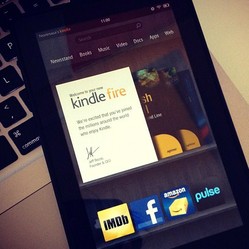
 To get notes into your Evernote account via your Kindle, you'll need to use email. Here is how it's done:
Step 1) Visit the Evernote.com website on your computer and choose the "Settings" option right at the top of the Evernote website.
Step 2) Move down to the end of the Evernote web page.
Step 3) Now you will hopefully be able to see a section entitled "Emailing to Evernote." In this part of the website is your unique Evernote email address. Not many Evernote users realise that you can use this special email address to send or forward content right in to your Evernote account with a simple email. I am always using this feature with my iPhone because it is just so handy. Never lose any information again!
Step 4) Take a copy (CTRL + C) of your unique Evernote email and then paste (CTRL + V) it into your email contacts section or your PC address book. If you place it into an online email account such as Gmail or Yahoo Mail then you will easily be able to access this via your Kindle device.
Step 5) Access the experimental web browser on your Kindle and log into your online email account. Start or compose a brand new email. The area where you place a subtitle in your new email will end up as a note title in your Evernote account, so make it descriptive of the contents so you can easily find it again. The content of your email will show up as the main section of your note once it is in Evernote.
Step 6) Then send your email to the Evernote email address that you got in step 3. Check your Evernote account and you'll see your new note! Image credit: jscreationzs @ FreeDigitalPhotos.net





 Magnetic Dress Up Doll Sets and Toyson 03/06/2016
 Sweet Cupcake Kitchen Accessories and Giftson 03/06/2016
 Really Cute Beds for Small Dogson 03/06/2016
 Battery Powered Cars for Kids Age 3 – 5on 03/03/2016


Comments for Evernote on Kindle
Thanks, Jimmie, for your comment and for stopping by on my Evernote page. Evernote is such a handy app to use, especially as it works on most devices. I'm always emailing stuff through to my Evernote account from my mobile - like webpages I really want to read properly later.
I have heard a lot about evernote, but I have never used it. You have crafted a fine tutorial.
You are welcome - thanks for stopping by :)
I'm still learning the things a Kindle can do. Thanks for this!