
Am I the problem child, or what?
I've tried my refresh technique -- five or more times. Still no change.
My Tweet button is under the Facebook icon.
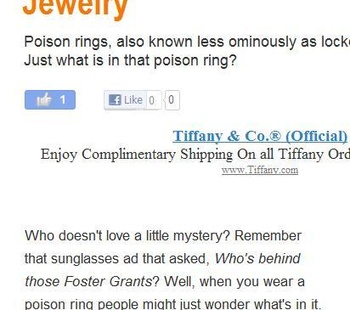
(Chrome. MS Vista.)

4,245 views · 11 posts
Am I the problem child, or what?
I've tried my refresh technique -- five or more times. Still no change.
My Tweet button is under the Facebook icon.
(Chrome. MS Vista.)
Hmm...looks fine here. (Chrome. Mac OS.) Anyone else having problems?
(Your first question may not have anything to do with that, Jimmie, and I'll refrain from answering it.) 
Yes. You are a wise man to recognize a rhetorical question when you see one!
I saw this post an hour ago and decided to check the social buttons on a wizz and then report back. Then I got distracted by all the great articles, I completely forgot!
Anyways, the buttons all look fine to me. I'm on Chrome with Win7
They all look fine under Firefox 9 on Windows Vista 64x
Well, thanks for checking, Cat & Jase.
I guess the screenshot is not enough, Simon. :-) No worries. I'll use other avenues to Tweet.
Clear your cache, Jimmie?
Looks good to me and I'm on Chrome
Your not a problem child, you make it comfortable for the rest of us to jump in and ask those questions that nag at us. I fins most often the refreshing I need to do is in the page refresh or cache... I just want to press on ...
Looks Great!
Looks like the buttons have changed AGAIN. Now I'm seeing none on top, some on bottom, and a LOT in the sidebar.
Always something to keep me on my toes!
Yes, Jimmie, we've been tweaking a lot to accommodate the Google algo changes, which means freeing up more top space for content and preserving/improving the loading speed. Please bear with us - it's all good. 
I love the new look! I like my content high on the page (for me and for Google).
And I think the sharing buttons on the side will get even more attention. But I trust you guys to figure it out.
Log in to reply to this topic.


