Wizzley
PopularLatestDiscussedEditor's Choice
AuthorsForum
Wizzley

A community of writers publishing stories worth your time — on the topics they know and love.

Explore

  • Popular
  • Latest
  • Discussed
  • Editor's Choice

Community

  • Top authors
  • New authors

Service

  • Help
  • Contact
  • Imprint
  • Terms of Use
  • Privacy

Check out our other international Webhaus communities!

Explore another site:English·Deutsch

© 2026 Webhaus LLC. All rights reserved.

Internet MarketingMaking Money OnlineBusiness & CareerThe Working LifeElectronicsComputers and GadgetsScienceFields of KnowledgeWizzley TipsTutorials & Community
★ Editor's Choice

Effective Thumbnail Images for Pinterest Success in Promoting Your Articles

You want your articles to be liked and, more important, pinned and repinned, and for this to happen, your thumbnail image should be part of your article bookmarking strategy.

While writers write because they feel compelled to put "pen to paper", in a manner of speaking, they also write because they want to communicate with others. The struggle to find the perfect word, the perfect phrase, the perfect sentence bears fruit when their material is read and, especially when it is discussed and passed on from one reader to another. Contemporary writers are finding that pinterest can form a significant part of the promotion strategy that gets their work out to those valued readers. Regardless of whether the content is aimed at affiliate marketing, promotion of a book or service oriented business, a how-to guide, or a work of great literary import, unless others see it the writer accomplishes only half the task set before him or her. Since pinterest relies on a strong visual impact, the thumbnail image is of utmost importance when pinning your articles. This image should be selected and prepared with care. This article will suggest ways to put together the most effective pinterest thumbnail images for your articles.

The Effective Pinterest Image

There are two essential parts to the successful pinterest image:

  1. The image itself - this draws attention to the pin
  2. Text added to the image - to tell the potential reader what the pin is about

Without text forming an integral part of the image, your graphic image or photo can mean different things to different people. You don't want chance to determine the choice to either explore the pin or to ignore it and therefore you tell people what content they will find if they open your pin and then click the pin to open your article.

Some writers who have split-tested the performance of their pins have found that images including text titles that explain what the pin is about are more often repinned than those that do not. You might want to consult an article by Nester Smith where she describes repinnable pins in detail.

  • Pinterest for Authors and Writers: 29 Tips to Get Your Writing Noticed

    Looking to get noticed on Pinterest? This new tip book, “Pinterest for Authors and Writers: 29 Tips to Get Your Writing Noticed,” will share with you how to find readers, even i...

Advertisement

Why Your Thumbnail Image on the Article Should be Pinnable

Other than on a blog or website hosted on an url that you purchased, you can expect many images to accompany your article. Some of these may be advertisements and some may be sidebar notices about other related articles on the site. Furthermore, you may have used several images to illustrate various aspects of the topic about which you have written.

When you pin an article, pinterest provides the full selection of all images on the page, from which you choose an image to represent the pin. If the article has a thumbnail of the appropriate size, it will generally appear on the top left-hand corner of the layout. If your image also contains a text title, people will be more likely choose this image to represent the pin for your article.

However, if there is no obviously pinnable thumbnail, people may pin any other image that appears in the selection. You may not feel that the images others choose are appropriate for the tone of your article. Therefore, take care to provide the image you want to represent your writing.

Compare These Thumbnails

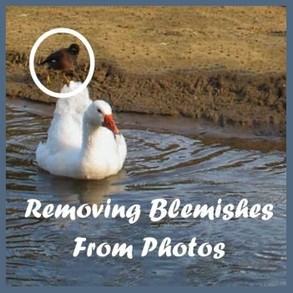
Below are two thumbnail images potentially representing an article about removing irrelevant details from a photograph. One has a text title and the other does not. I think it is clear that the image with the text is more likely to attract readers than the one without. Of course, the title of the article will be underneath the thumbnail and there is room to add a description; but repinners can change both of these features, whereas in the labeled image the subject of the article is inevitably repinned automatically.

Labeled Thumbnail Image
Labeled Thumbnail Image — Photographer: Sheri Oz
Unlabeled Thumbnail Image
Unlabeled Thumbnail Image — Photographer: Sheri Oz

Be Careful About the Composition of the Thumbnail

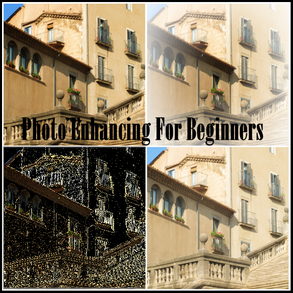
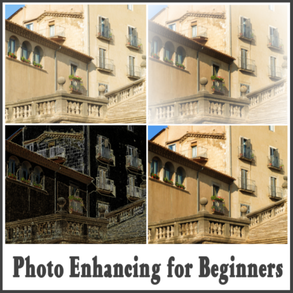
Here are two examples of possible thumbnails for an article on basic photo enhancing techniques for the beginner. The text is the same in both cases, however I think that the one on the right is a better choice of composition.

Possible Thumbnail for Photo Enhancing Article
Possible Thumbnail for Photo Enhancing Article — Photographer: Sheri Oz
Another Possibility for This Same Article
Another Possibility for This Same Article — Photographer: Sheri Oz

Size and Shape of the Image

According to some social media websites, thumbnail images for pins are 192 pixels in width on the boards and the height will be adjusted according to the height of the image you use. If someone opens a pin, the expanded image can be up to 736 pixels wide and that is the optimal source size for pinnable images. Of course, the actual source size may not be the source website display size of the thumbnail, and these different sizes can be specified in the image code.

You need to pay attention, then, to both the size and shape of the thumbnail on the website where the article is stored and most attractive shapes for pins. The former are often square and the latter can be square or rectangular. To be successful on pinterest, they should not be too much higher than they are wide, according to Rob Russo.

Don't Forget to Link Your Pin Image to the URL of the Article

If you do not, then after repins people will likely reach a dead end since the image URL itself may not be associated with the article URL.

Read About How Others Successfully Use Pinterest

  • Pinterest Power: Market Your Business, Sell Your Product, and Build Your Brand on the World's Ho...

    Start Marketing NOW on the World's Fastest-GrowingWebsite! You thought Facebook, YouTube, and Twitter were big? Pinterest is outpacing them all. As a marketer, you can't afford ...

  • Pinterest Savvy: How I Got 1 Million+ Followers (Strategies, Plans, and Tips to Grow Your Busin...

    In Pinterest Savvy: How I Got 1 Million+ Followers (Strategies, Plans, and Tips, to Grow Your Business with Pinterest), Melissa Taylor reveals her secrets to becoming a top Pint...

Advertisement

Please Share This Article With Others

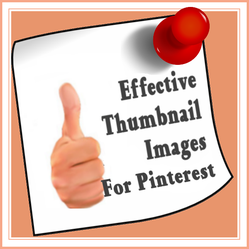
Effective Thumbnail Images for Pinterest Success in Promoting Your Articles
Effective Thumbnail Images for Pinterest Success in Promoting Your Articles — Designed by Sheri Oz

Updated August 14, 2017

I hope this helps you improve your promotion of your content articles on the web. Your comments are appreciated.

katiem2Nov 2, 2018

Great article and who knew pinterest would be the major go to for everything!

GuestOct 26, 2017

I have not wrote on my images and do not really know how to do it! I would really love to learn how. Thanks for your post

Sheri_OzAug 24, 2014

Great! I hope you have as much fun as I do making up those thumbnail images. And good luck with sales.

BrendaReevesAug 23, 2014

Good article. I've recently been pinning my Zazzle products to Pinterest.

Sheri_OzAug 8, 2014

Thanks. I will look up PicMonkey. I like to check out a wide variety of tools available for free.

chevrilMar 31, 2014

Very interesting. I would never have thought of this!

Sheri_OzMar 29, 2014

That is unfortunate, Brenda - both that you are not writing lately and that you don't post on Pinterest. I do get traffic from my posts on Pinterest. I hope you reconsider.

BrendaReevesMar 29, 2014

I don't post on Pinterest, because I've felt that people aren't interested in articles. Although, I do like the paranormal page. Plus, I haven't written anything of value recently. I don't consider Bubblews photos of value.

GuestMar 29, 2014

I haven't used Pinterest enough. Your article reinforces the importance of that all important image.

Sheri_OzMar 29, 2014

Thanks so much for the shares and hope it is helpful for all my fellow writers.

cmoneyspinnerMar 28, 2014

Shared this via my Pinterest board for FREELANCE WRITERS. Great tips for them to know I think. The other links you shared within your this article are also helpful.

Sheri_OzMar 28, 2014

Thank-you Kathleen. I'm glad you find it helpful.

KathleenDuffyMar 28, 2014

This is a really useful article - thanks very much! I'm quite new to Pinterest and your tips are great.

dustytoesMar 28, 2014

I use Pinterest all the time and I do agree that the pinned image must be an eye-catcher.

Sheri_OzMar 28, 2014

I find it an excellent promotion tool, Nelda.

Nelda_HoxieMar 28, 2014

Thank you for pulling this together. I am just starting to suss out Pinterest and need all the help I can get.
Sheri_Oz
Sheri_Oz
62 articles
★ Editor's Choice
FollowMessage

Related articles

  • Pinterest Settings for the Effective Pinning Experience
  • Download and Use Images for Free While Avoiding Copyright Infringement
  • Use Polyvore to Display Your Products to Advantage
  • Fast and Easy Article Promotion